

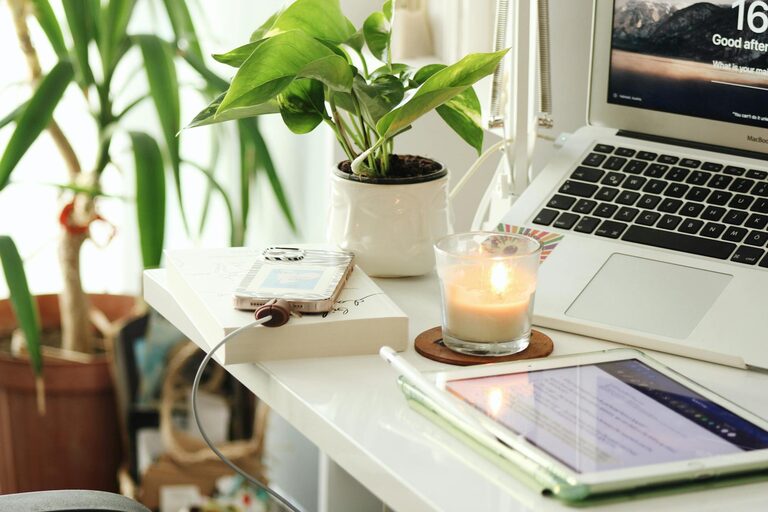
Creating a home office that balances comfort and productivity is essential for anyone working remotely or freelancing. Your workspace should inspire focus while also making you feel relaxed and motivated. In this post, we’ll share useful tips to help you design a cozy and productive home office space tailored to your needs.
Choose the Right Location
Finding the perfect spot in your home is the first step. Ideally, select a quiet area with minimal distractions and enough natural light. A corner in the living room, a spare bedroom, or even a converted closet can work if set up properly. Consider your daily routines and where you feel most alert and creative.
Prioritize Comfortable and Functional Furniture
Invest in an Ergonomic Chair
Since you’ll be spending long hours sitting, an ergonomic chair with good lumbar support is crucial. This can prevent back pain and improve concentration.
Select a Spacious Desk
Choose a desk with enough surface area for your computer, notepads, and other work essentials. Desks with built-in storage or drawers can help keep your workspace organized.
Optimize Lighting
Lighting plays a significant role in productivity and mood. Natural light is best, so place your desk near a window if possible. Supplement with adjustable desk lamps that provide warm light to reduce eye strain during evening hours.
Add Personal Touches That Inspire
Decorate your office to make it feel inviting and uniquely yours. This could include framed photos, artwork, plants, or motivational quotes. Keep decorations minimal to avoid clutter but meaningful enough to brighten your space.
Keep Your Workspace Organized
Use Storage Solutions
Shelves, file organizers, and drawer dividers help maintain order and reduce distractions. Consider a combination of open and closed storage to keep frequently used items accessible.
Declutter Regularly
Set aside a few minutes at the end of each day to tidy your workspace. A clean desk can improve your focus and make starting work the next day easier.
Manage Technology Efficiently
Organize cables with clips or cord organizers to avoid a tangled mess. Choose reliable tech equipment that suits your work needs, and keep backups like an external hard drive or extra chargers handy.
Incorporate Plants and Natural Elements
Adding greenery to your office not only improves air quality but also reduces stress and boosts creativity. Low-maintenance plants like succulents, snake plants, or pothos are great choices.
Establish Boundaries for Work and Relaxation
Creating clear physical and mental boundaries between work and personal life is vital, especially when your office is at home. Use a dedicated door or room divider if possible. When work hours end, turn off your computer and tidy your desk to signal the end of the workday.
Pay Attention to Acoustics
To promote focus, minimize noise distractions. Use noise-canceling headphones, white noise machines, or add soft furnishings like rugs and curtains to absorb sound. If outside noise is unavoidable, communicate your schedule to household members for quiet periods.
Set Up a Routine and Ergonomic Workflow
Arrange your frequently used items within easy reach to reduce strain. Practicing good posture, taking regular breaks, and stretching can help you stay comfortable and productive throughout the day.
—
Designing a cozy and productive home office is about blending comfort with functionality. By thoughtfully selecting your space, furniture, lighting, and décor, you’ll create an environment that supports your work and well-being. Take time to experiment and adjust your setup as you discover what helps you perform your best.