

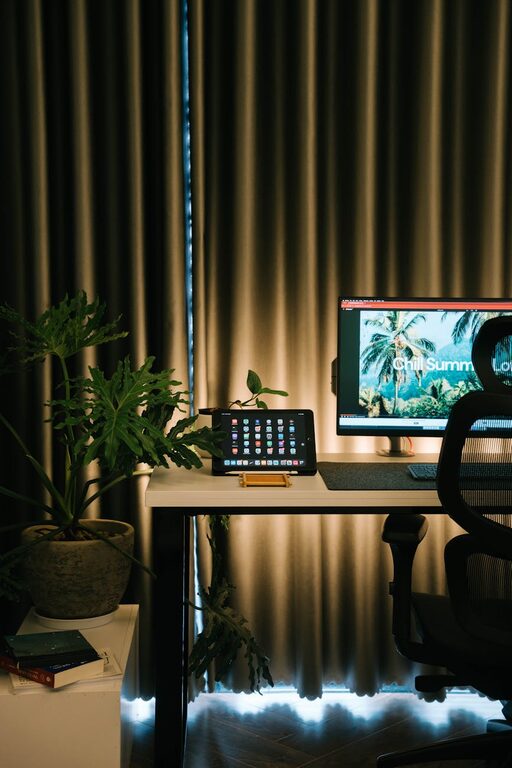
Creating a cozy and inviting home workspace can make a significant difference in how you feel while working and how productive you are. Whether you have a dedicated room or just a small corner, designing a workspace that feels comfortable and inspiring is key to enjoying your work-from-home experience. Here are some helpful tips to create a space that’s both functional and welcoming.
Choose the Right Location
Find Natural Light
Natural light can uplift your mood and help reduce eye strain. Place your desk near a window if possible, but avoid direct glare on your computer screen. If natural light is limited, invest in good-quality artificial lighting.
Consider Quiet and Privacy
A workspace should allow you to concentrate. Choose a quieter part of your home where you are less likely to be interrupted, especially if you have family or roommates.
Invest in Comfortable Furniture
Ergonomic Chair
A comfortable, supportive chair is essential to avoid back and neck pain. Look for one with adjustable height and lumbar support.
Spacious Desk
A desk with enough surface area to hold your computer, documents, and any tools you need will keep you organized and prevent clutter.
Add a Footrest or Cushion
Small touches like a footrest or a cushion for your chair can greatly increase comfort during long work sessions.
Personalize Your Workspace
Use Colors That Inspire
Choose colors that make you feel calm or energized. Soft blues and greens promote relaxation, while yellows and oranges can boost creativity.
Add Plants
Indoor plants improve air quality and add a touch of nature, helping reduce stress and increase focus.
Display Personal Items
Photos, artwork, or meaningful objects can make your workspace feel uniquely yours — just be careful not to overcrowd your area.
Organize for Efficiency
Declutter Regularly
Keep only essential items on your desk. A clutter-free desk promotes clearer thinking and reduces distractions.
Use Storage Solutions
Shelves, drawers, and organizers help keep paperwork and supplies out of sight but within reach.
Digitize Documents
Reduce paper clutter by scanning and storing important files digitally.
Optimize Lighting
Use Layered Lighting
Combine ambient (general), task (focused), and accent lighting to create balanced illumination.
Choose Warm Light Bulbs
Warm light (2700K to 3000K) creates a cozy atmosphere, making the space feel inviting in the early morning or evening.
Position Your Lighting Well
Desk lamps should illuminate your work area without causing screen glare.
Incorporate Comfort Elements
Soft Textiles
A small rug, cushions, or a throw blanket add warmth and texture to the room.
Temperature Control
Ensure your workspace is comfortably warm or cool depending on the season, using fans, heaters, or air conditioning when needed.
Noise Management
Use headphones with calming music or ambient sounds if surrounding noise is a problem. Soundproof curtains or panels can also help.
Set Boundaries and Routines
Define Working Hours
Having clear start and end times helps separate work from personal life, making transitions smoother.
Create a Morning Ritual
Starting your day by tidying your desk or preparing a favorite beverage can enhance your focus and set a positive tone.
Take Breaks
Step away from your workspace periodically to stretch or relax, keeping your mind fresh.
Add Inspirational Elements
Vision Board or Quotes
Place motivational quotes or a vision board nearby to keep you focused on goals.
Rotate Artwork or Décor
Changing your surroundings periodically can renew your inspiration.
—
Final Thoughts
Designing a cozy and inviting workspace at home is about combining comfort, functionality, and personal touches. Small changes can have a big impact on your daily work experience, helping you stay motivated and productive. Remember, your workspace should be a place where you feel good — both physically and mentally.
Start with one or two tips, and gradually build a space that feels just right for you. Happy decorating!